STEP 01 / Inquiry
G
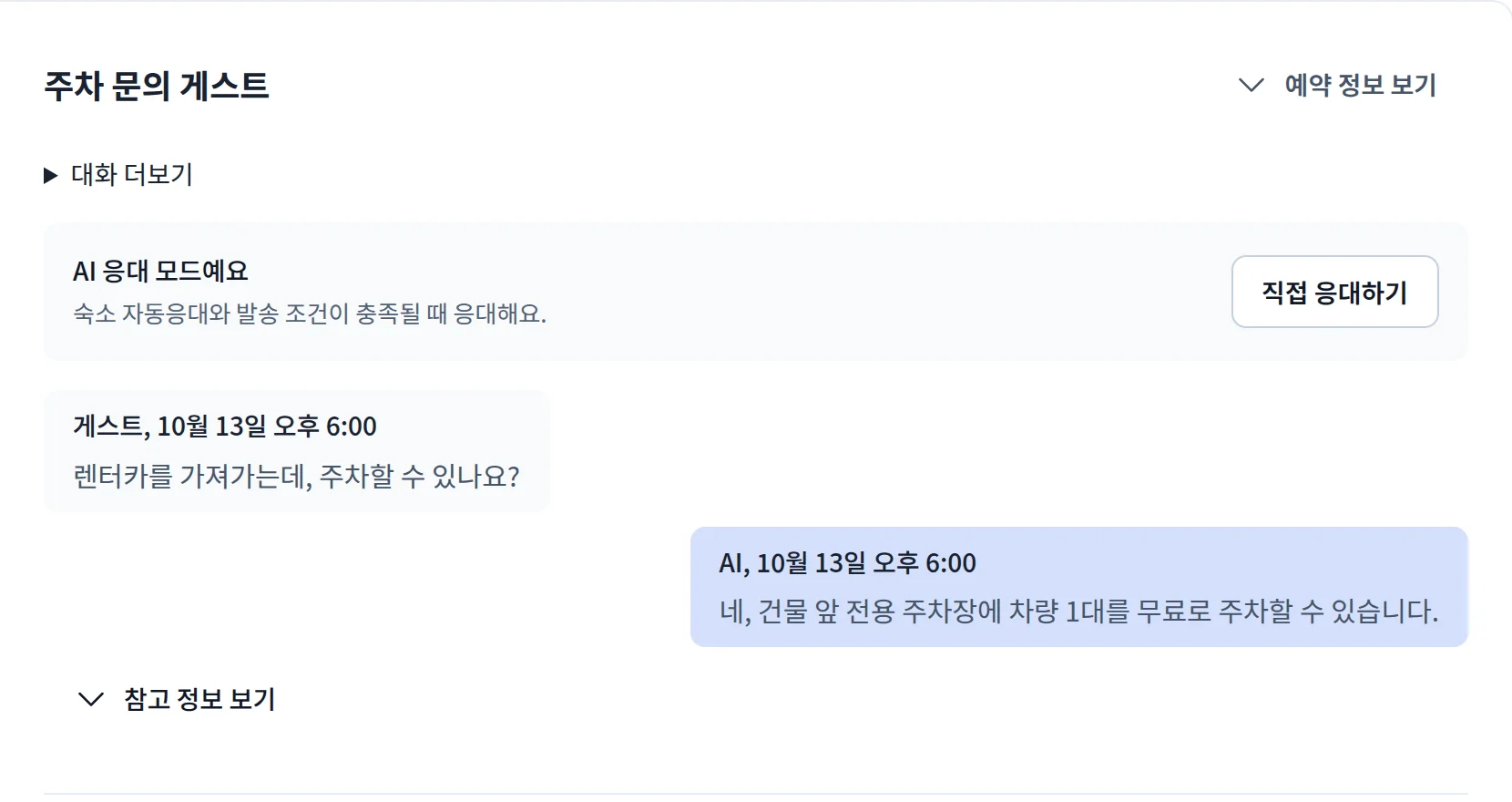
I'm bringing a rental car. Is there parking?
New guest inquiry
Bizard picks up the inquiry from your connected Airbnb.

AN INQUIRY ASSISTANT FOR AIRBNB HOSTS
From parking to check-in, it answers guests from your listing info.
You focus on the inquiries that need you.
Available on Microsoft Store / Windows 10/11, Chrome required
Hand over the repeated answers
and spend your time where you are needed.
How one inquiry gets handled
Scroll to follow the reply process.
Parking example
Bizard checks new inquiries on your connected Airbnb. Start with common questions like parking and check-in.
It finds the parking and check-in details you saved. If nothing fits, it hands the inquiry to you.
When there is information to share, it writes a reply to the question. Requests that need judgment go to you.
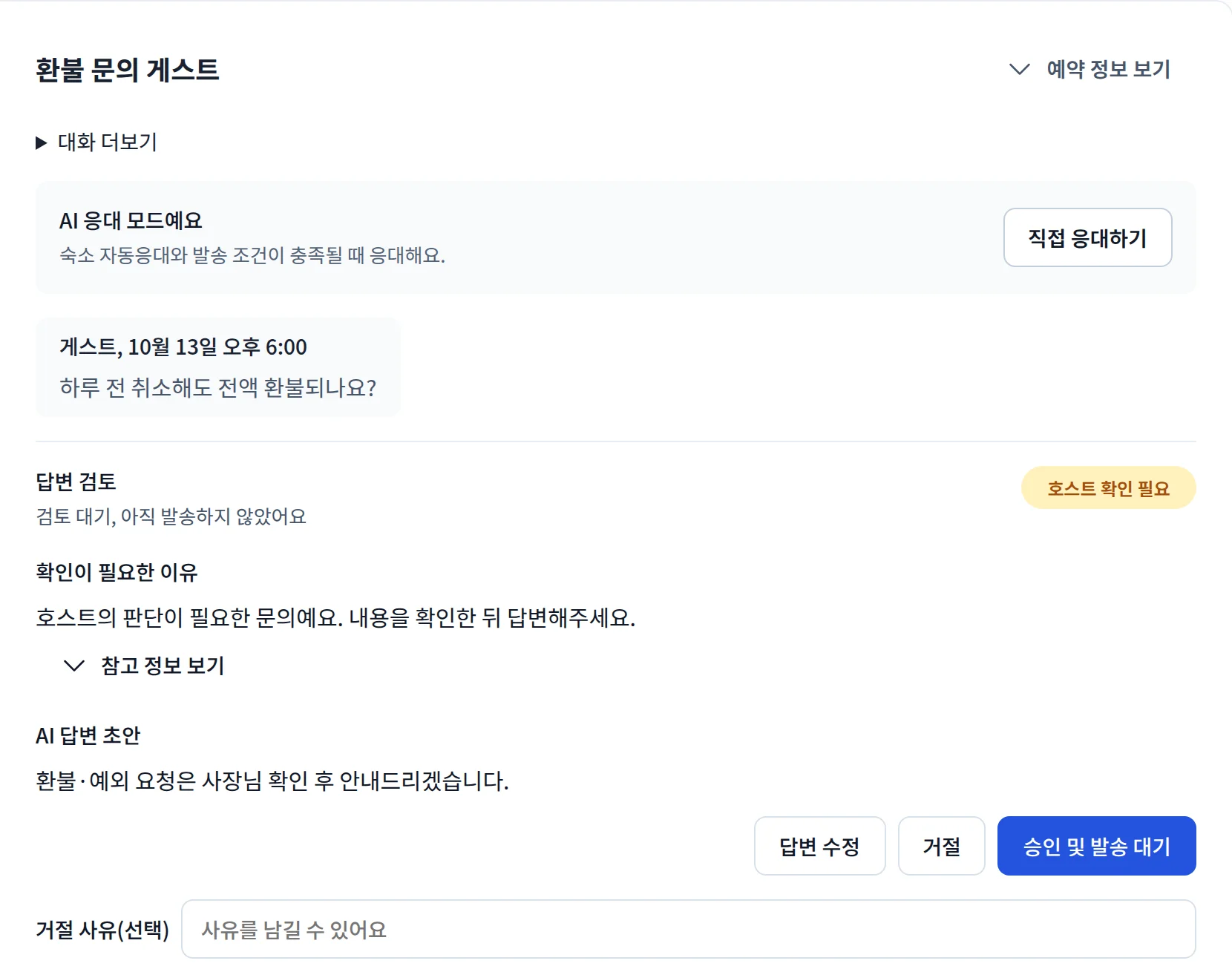
In auto-send mode it sends approved answers. You review refunds and exceptions, and draft mode never sends.
STEP 01 / Inquiry
I'm bringing a rental car. Is there parking?
Bizard picks up the inquiry from your connected Airbnb.
STEP 02 / Look up
I'm bringing a rental car. Is there parking?
You can park one car for free in the private lot in front of the building.
STEP 03 / Reply
I'm bringing a rental car. Is there parking?
Yes. You can park one car for free in the private lot in front of the building.
Draft reply exampleSTEP 04 / Send or review
I'm bringing a rental car. Is there parking?
Yes. You can park one car for free in the private lot in front of the building.
Auto-send exampleIt only acts within the reply scope you set.
Bring in your Airbnb listing info
and add what guests need to know.
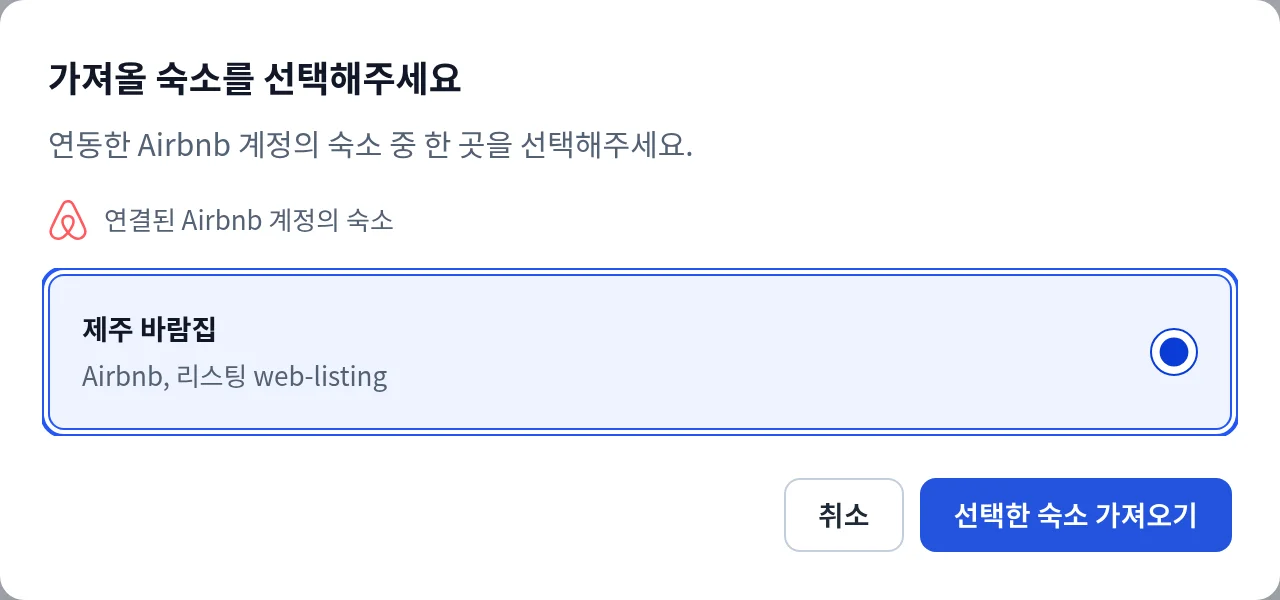
Start from the listing you already have.
No need to type the same info again.
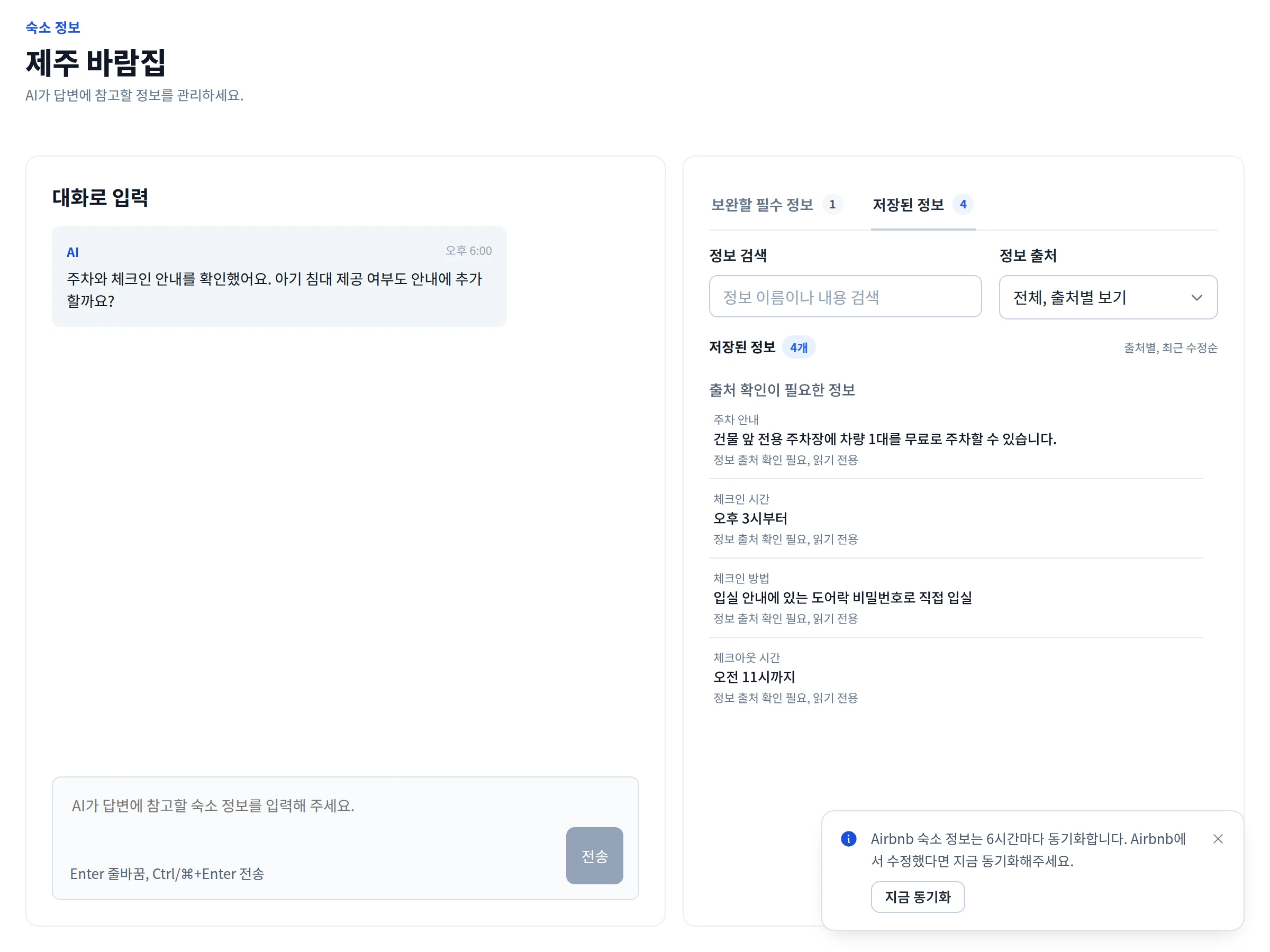
Check details guests often ask about, like parking and entry.
Accurate listing info is where good answers start.
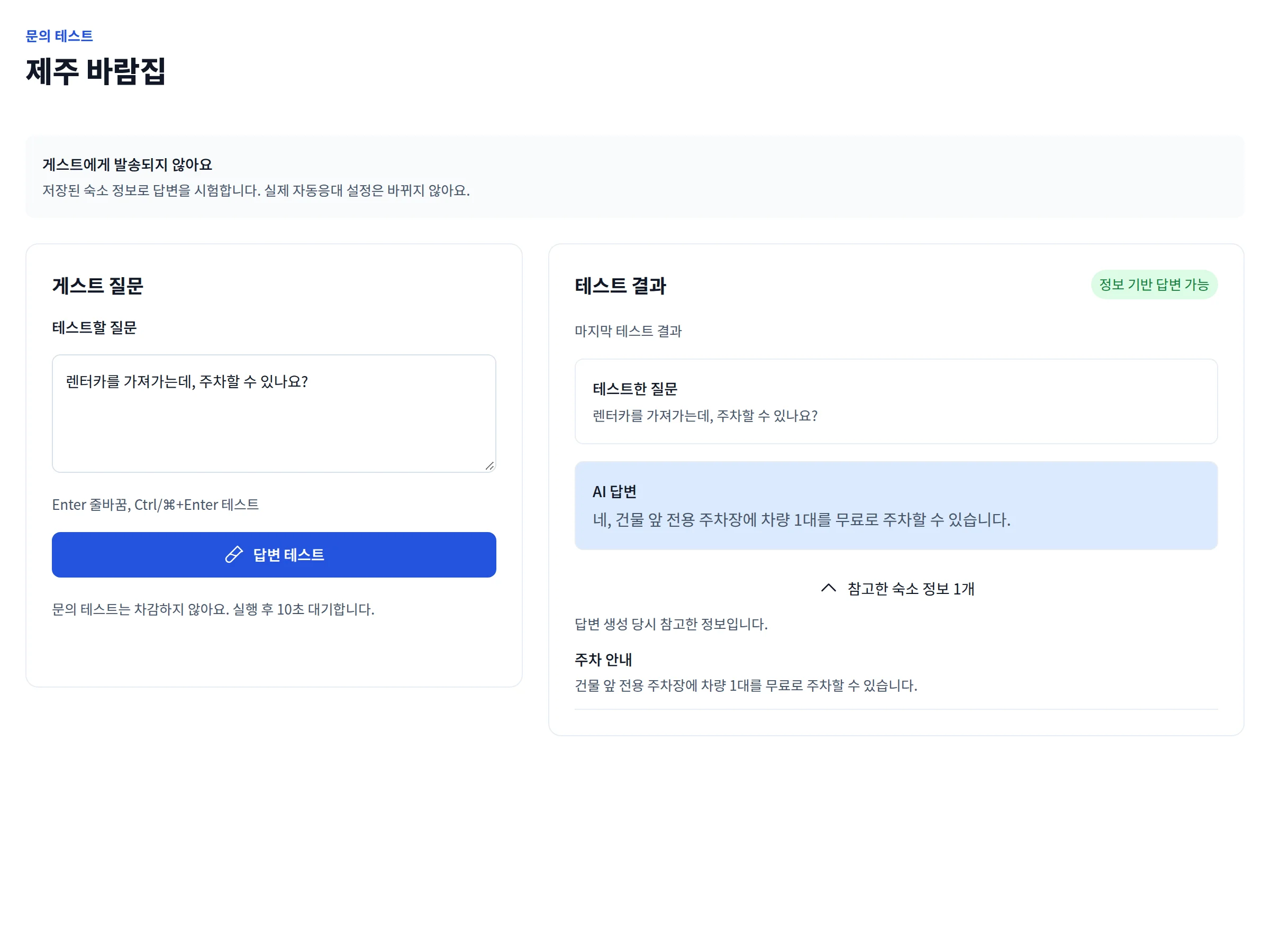
Test replies, see the info behind them,
and choose how much to hand over.
Before turning on auto-send, try parking or check-in questions. If something is missing, add it to your listing info and ask the same question again.
Expand the info a reply was based on, and check whether anything has changed in your listing since.
See an example reply ↗Start by reviewing drafts, then auto-send only approved answers once you are comfortable.
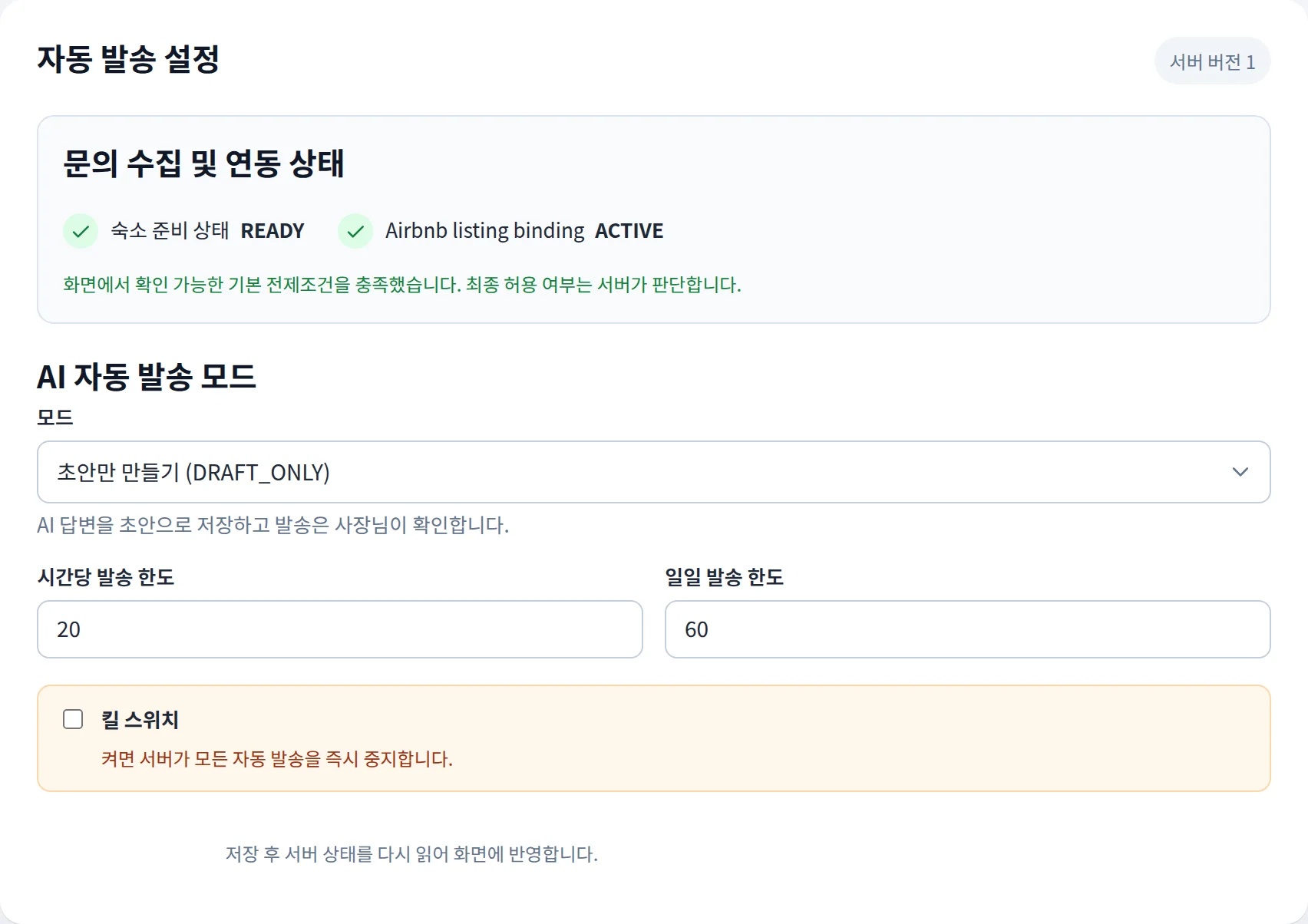
| Reply mode | Replies and sending |
|---|---|
| Off | Nothing is sent automatically. |
| Drafts onlyTo start with | Replies are saved and the host reviews and sends them. |
| Auto-send | Only approved answers are sent. The host reviews refunds and missing info. |
You can stop auto-send in settings at any time.
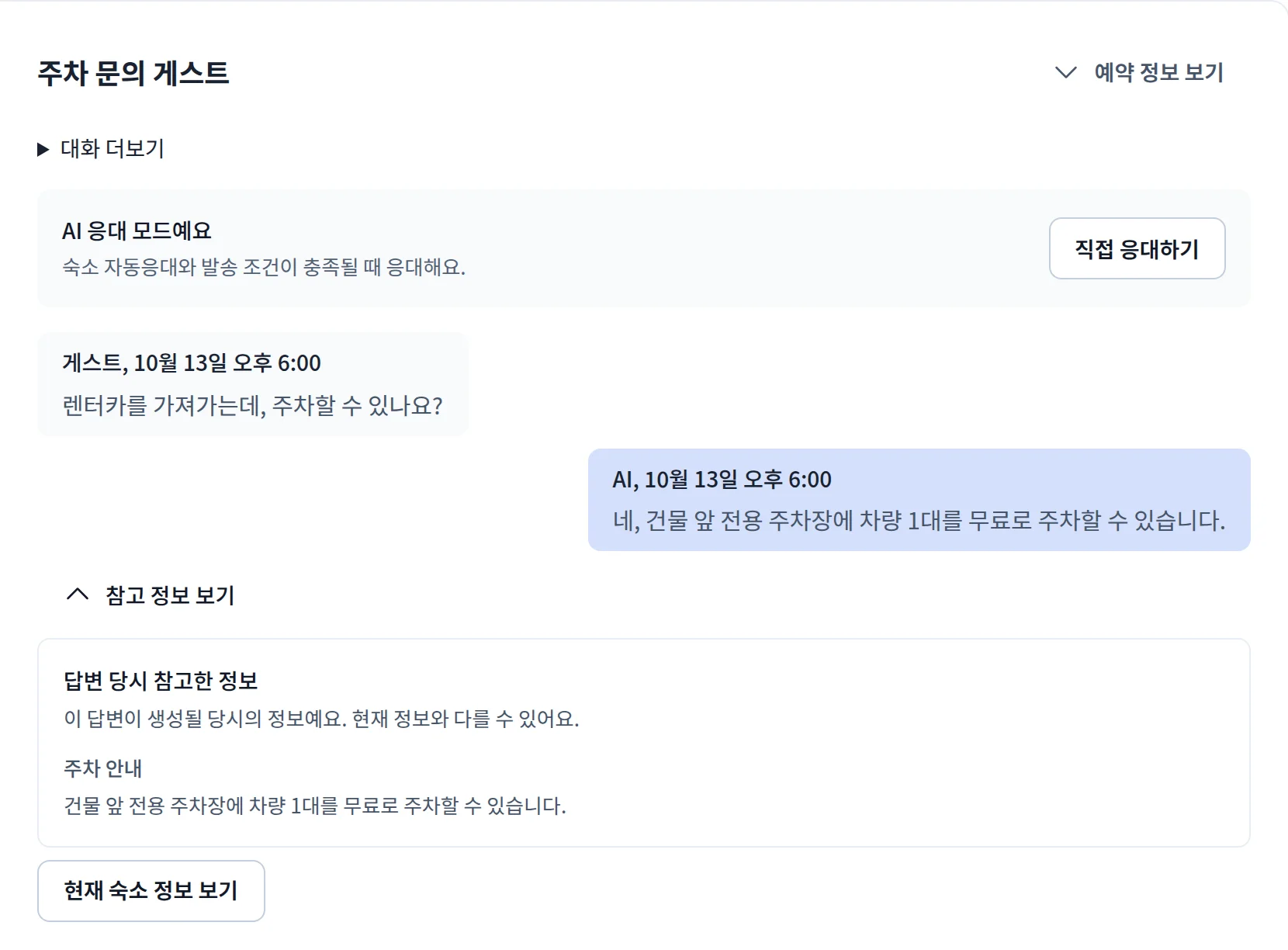
Parking and check-in from your saved info.
Refunds and exceptions are your call.
Jeju Breeze House, 4 example inquiries
2 repeated answers handled, 2 need your decision or more info.
An example assuming auto-send mode, not real results.
Less time rewriting answers,
more time welcoming guests.
Browse inquiries and their status
to find what you should check yourself.
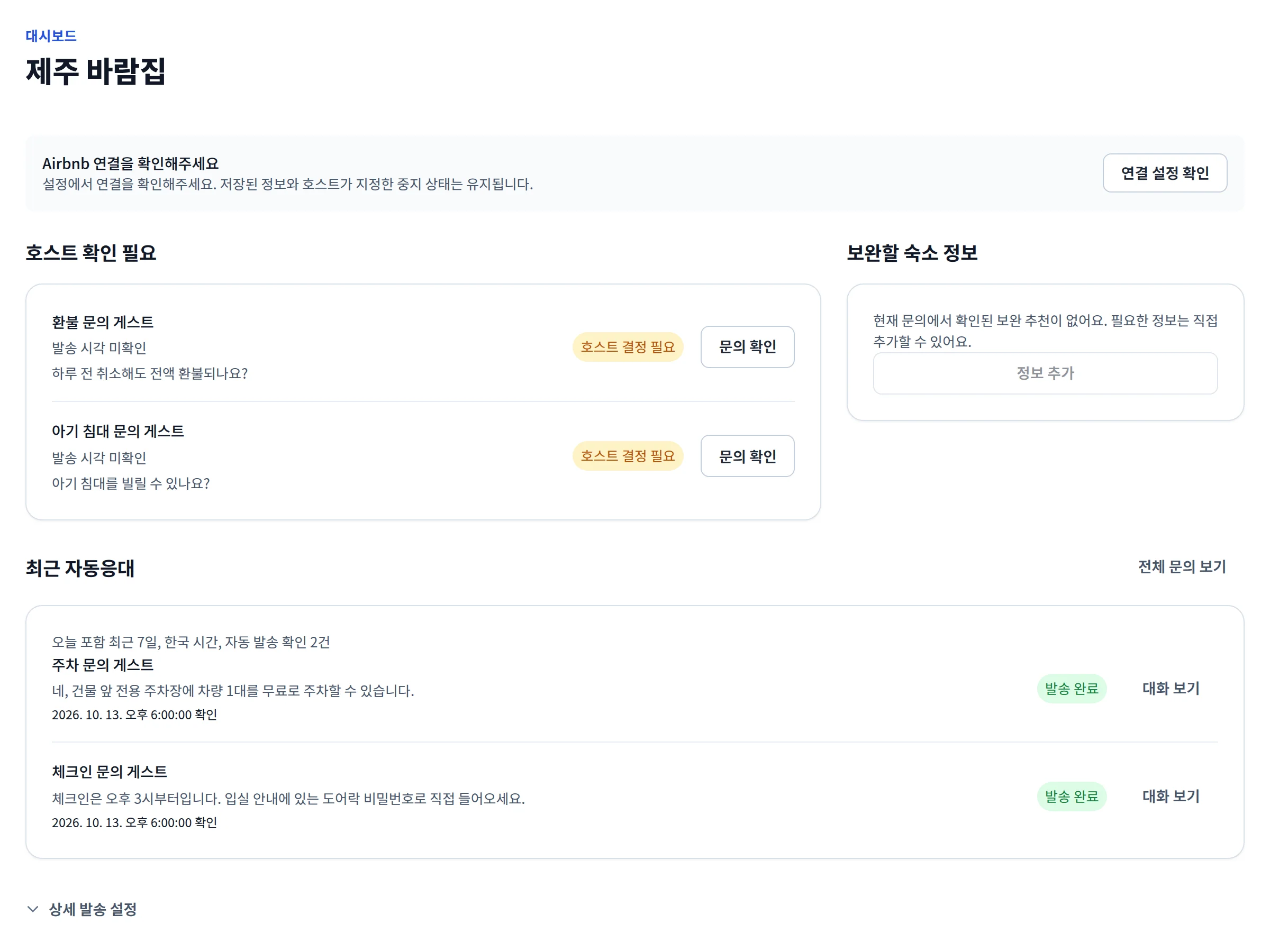
Bizard answers from your listing info
and stops when you need to decide.
This is a demo. It is not connected to an AI server or an Airbnb account, and no messages are sent.
Estimate the time you spend on repeated answers
with your own numbers.
A desktop app that answers Airbnb guest inquiries using your listing info. It handles repeated questions and leaves inquiries that need more info or a decision for you to check.
The monthly plan is KRW 9,900 for 100 AI replies sent, and the extra pack is KRW 6,900 for 50 replies (VAT included). Only AI replies actually sent to guests are counted, and you can get a full refund within 14 days of payment.
No. It follows the reply mode and scope you choose. Refunds, exceptions and inquiries without enough info need your check. If auto-send feels like too much, start with drafts only.
It imports the listing info you already have on Airbnb, and you can add details like parking and check-in. Check that the imported info is accurate and up to date first.
Bizard and its Chrome window must be running on the computer where it is installed, with internet and Airbnb connected. Nothing is answered while the PC is off or disconnected.
It is a fixed simulation using a fictional house, Jeju Breeze House. It doesn't connect to an AI server or an Airbnb account and sends no messages.
Windows 10/11 64-bit with Google Chrome. There are no macOS or Linux installers. Install it from Microsoft Store, which also keeps it up to date.
Connect → check your listing info → choose the reply scope.
Start slowly with draft mode.